Best Podcast Equipment for a Home Studio Setup in 2026
Disclosure: This post contains affiliate links. We may earn a commission at no extra cost to you.
Whether you’re launching your first podcast or finally upgrading your home studio setup, having the right equipment makes a bigger difference than most people expect. Good gear doesn’t just improve your audio quality, it also makes the whole recording process smoother, more enjoyable, and a lot less frustrating. The good news is that in 2026, there are more smart, affordable options than ever before, and you don’t need a professional studio budget to sound like you do. In this guide, we’re covering some of the most practical, exciting, and surprisingly useful podcast tools available for home creators right now. From microphones that capture crystal-clear sound to acoustic panels that tame even the most echo-prone rooms, this list has something for every setup and skill level. We’ve also included a few picks that might genuinely surprise you. Whether you’re recording solo episodes, hosting interviews, or producing a full narrative show, these tools are worth knowing about.
Disclosure: As an Amazon Associate we earn from qualifying purchases. Prices and availability shown are accurate as of the date of publication and may change.
Quick comparison
How to choose
Number of Hosts
Consider how many people will record at the same time before choosing any bundle. Some kits include a single microphone and interface suited for solo shows, while others provide two microphones, two boom arms, and dual headphone outputs for co-hosted or interview formats. Buying a solo kit and trying to expand later usually costs more than starting with the right capacity.
Connection Type and Interface
Microphones in these bundles connect via USB, XLR, or both, and that choice shapes your upgrade path. A USB-only mic plugs straight into a laptop with no extra gear, which keeps setup simple, but an XLR mic routed through a dedicated audio interface or multitrack recorder gives you more control over gain, monitoring, and adding more inputs later. If you foresee adding guests or switching mics, prioritize XLR compatibility and a recorder or interface with enough inputs to match.
Onboard Processing and Controls
Some bundles rely entirely on editing software after recording, while others include hardware noise reduction, compression, EQ, or DSP chips that process audio in real time. If you want to publish episodes with minimal editing time, look for units that handle gain balancing and noise reduction before the signal is recorded. Voice changer and sound effect features found in several of these kits are fun for streaming but may not matter for straightforward interview podcasts.
Portability and Power
A recorder that runs on batteries and writes to a memory card is a genuinely different tool from a desktop interface that requires a powered USB connection to a computer. If you record in a fixed home studio space, desktop interfaces and standard boom arm setups are fine. If you record on location, at events, or while traveling, a battery-powered unit with onboard storage changes the whole workflow and removes the need to carry a laptop.
Microphone Polar Pattern and Type
Condenser microphones capture more detail and are sensitive to room noise, so they work best in treated or quiet spaces. Dynamic microphones reject more ambient sound and handle close-up vocal recording well, making them more forgiving in untreated rooms. All of the microphones across these bundles use a cardioid polar pattern, which focuses pickup in front of the mic and reduces sound from the sides and rear, but the condenser versus dynamic distinction still matters significantly depending on how acoustically controlled your recording space is.
The picks
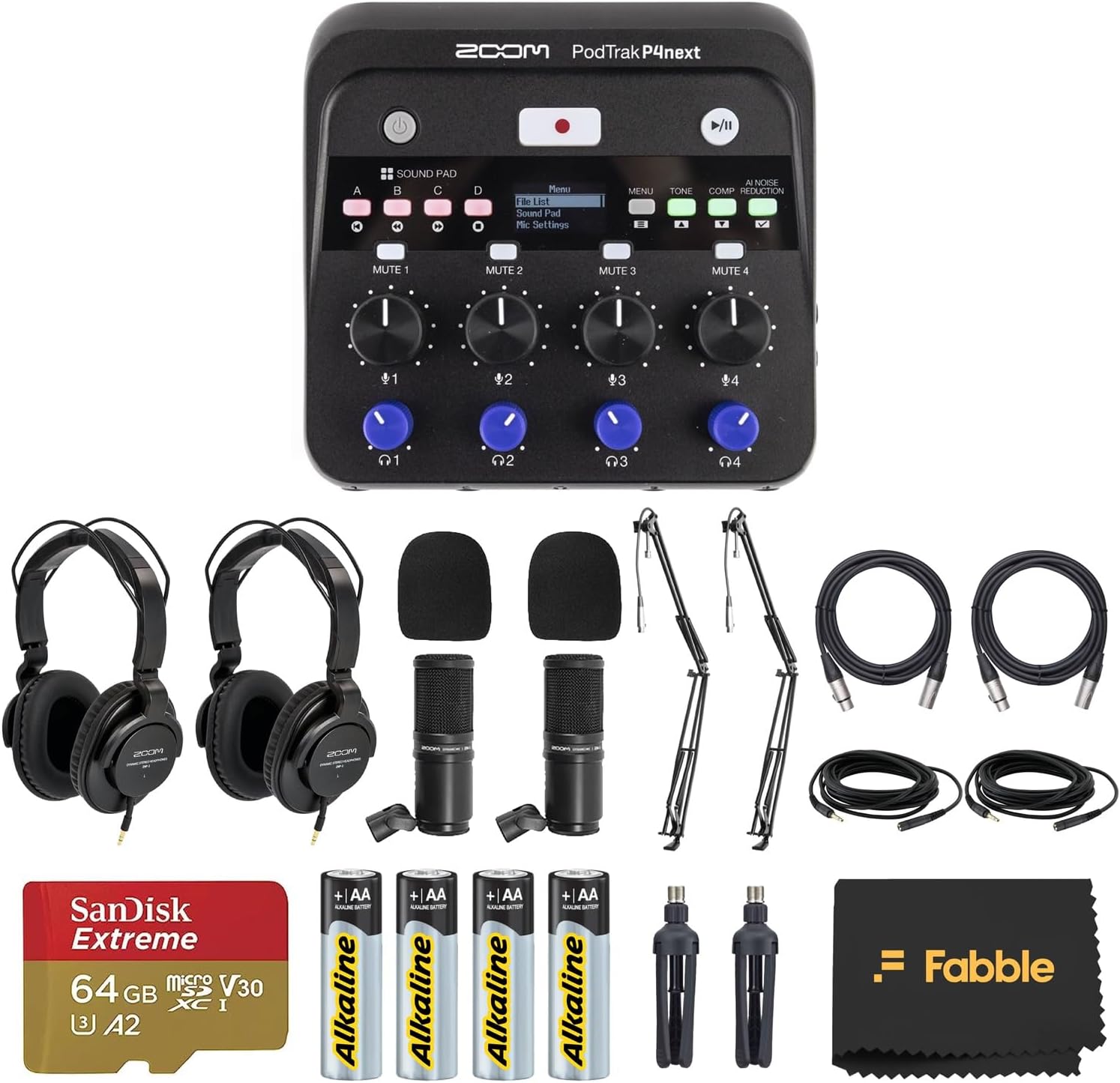
Zoom PodTrak P4next Portable Multitrack Podcast Recorder Bundle with 2 Zoom ZDM-1 Podcast Mic Packs, 2 On-Stage MBS5000 Boom Arms with XLR Cables, 64GB microSDXC Card and AA Batteries
Serious podcasters who want a complete, broadcast-ready multitrack setup with AI processing and room for up to four guests.
Four XLR inputs with up to 70 dB gain and 48V phantom power on every channel, paired with AI noise reduction and built-in EQ, de-essing, and compression, deliver polished audio with minimal post-production work.
The most expensive option on this list, commanding a significant price premium over every other product here.
Premium
- Four XLR inputs with 48V phantom power
- AI noise reduction plus EQ, de-essing, and compression
- Four independent headphone outputs for multi-guest monitoring
- Priciest pick on this list
- Overkill for solo or casual podcasters
The most fully featured and expandable podcast recorder bundle for creators who want broadcast quality from day one.
Buy on AmazonMorTime Condenser Microphone Bundle, Live Sound Card, Adjustable Boom Arm, Shock Mount, Metal Mic Pop Filter, Sponge Pop Filter Cover, Earphone, Audio Cables and Power Cable, Set of 11 Mic Kit
Casual content creators on the tightest budget who need every core accessory in one box for chatting, singing, or basic streaming.
An 11-piece kit including mic, live sound card, boom arm, shock mount, two pop filters, earphone, and all necessary cables makes it the most complete accessory bundle for the money on this list.
The least expensive option here, and the condenser capsule and sound card are entry-level components with no published specs suggesting professional-grade performance.
Budget
- 11-piece kit covers every core accessory
- 180-degree adjustable boom arm
- Broad compatibility across PC, smartphone, and tablet
- Entry-level components with limited spec transparency
- Not suited for demanding recording environments
The most affordable complete starter kit here, suited for casual or occasional use where broadcast quality is not a priority.
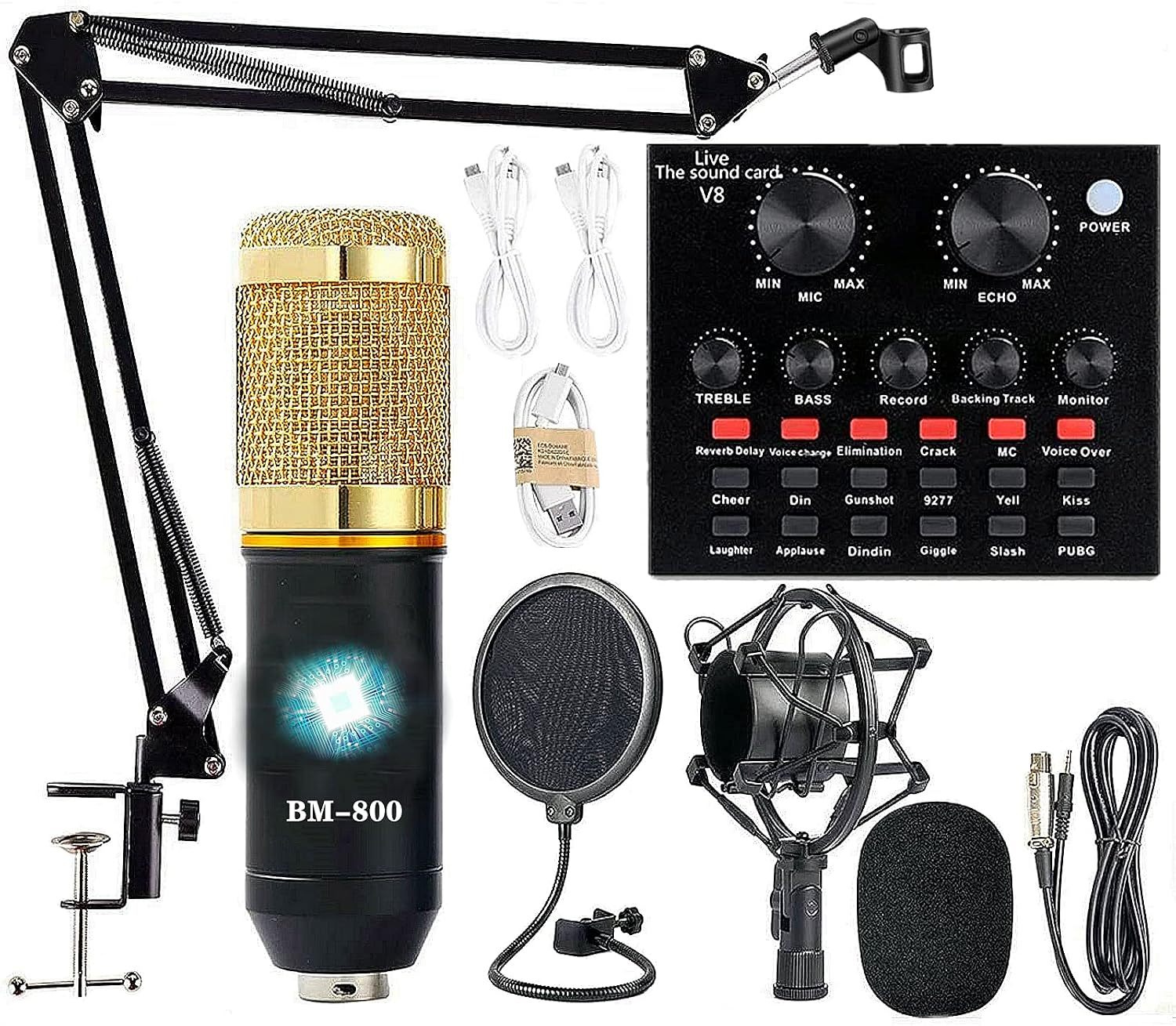
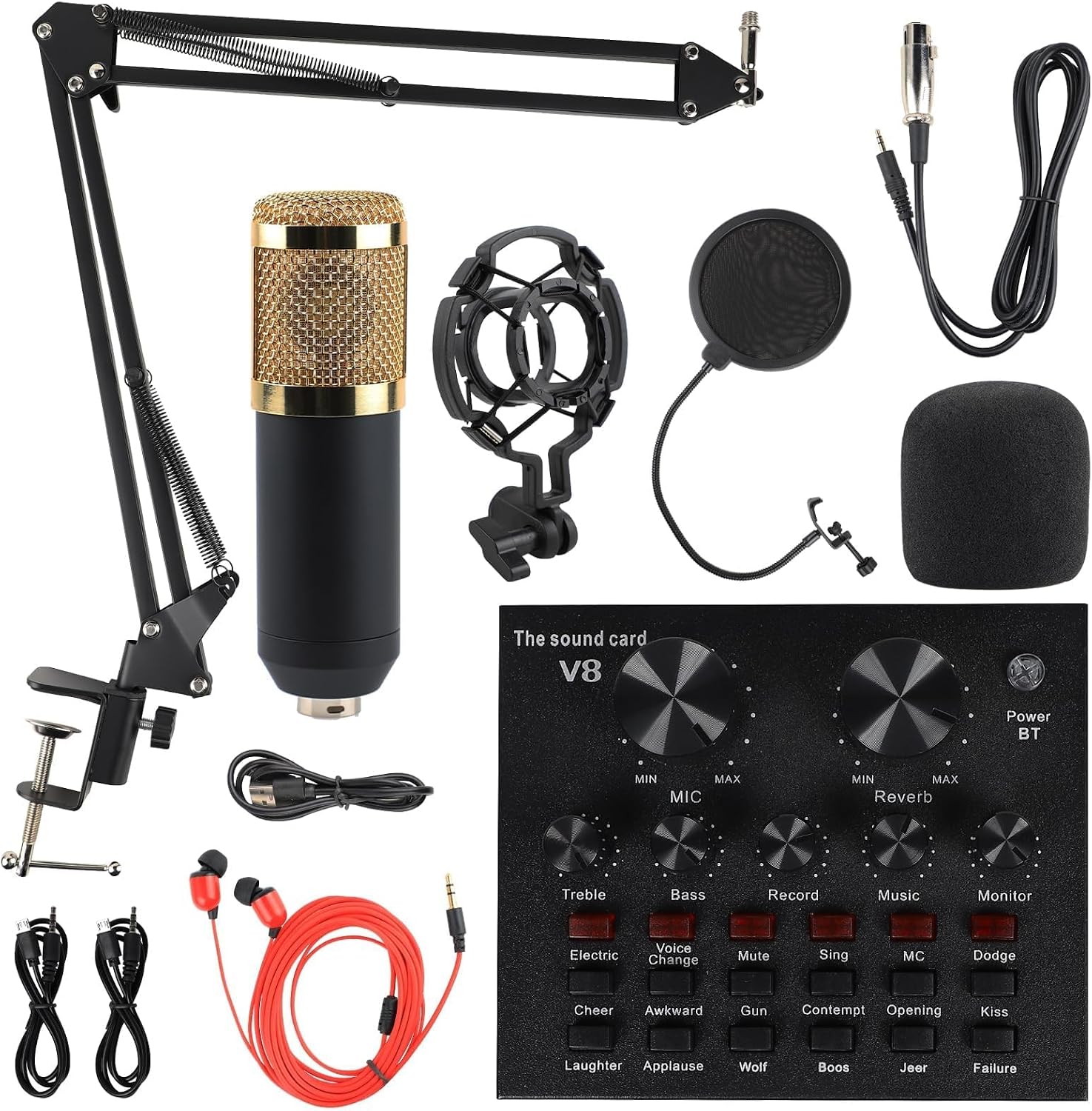
Buy on AmazonPodcast Equipment Bundle, BM-800 Recording Studio Package with Voice Changer, Live Sound Card - Audio Interface for Laptop Computer Vlog Living Broadcast Live Streaming YouTube TikTok (AM100-V8)
Beginners who want a solo streaming or podcasting starter kit with voice-changer fun for platforms like TikTok and YouTube.
Includes a BM-800 condenser mic, scissor arm, shock mount, pop filter, and a voice changer sound card all in one package, covering every core accessory a first-time creator needs.
No XLR interface for professional routing and the voice changer hardware is consumer grade, limiting upgrade paths for anyone who wants to grow their setup.
Budget
- All essential accessories included
- Wide device compatibility across PC, mobile, and consoles
- Cardioid condenser mic for focused voice capture
- Consumer-grade components limit long-term scalability
- No dedicated audio interface with professional routing
A complete beginner bundle with a fun voice changer, but ceiling is low for anyone serious about audio quality.
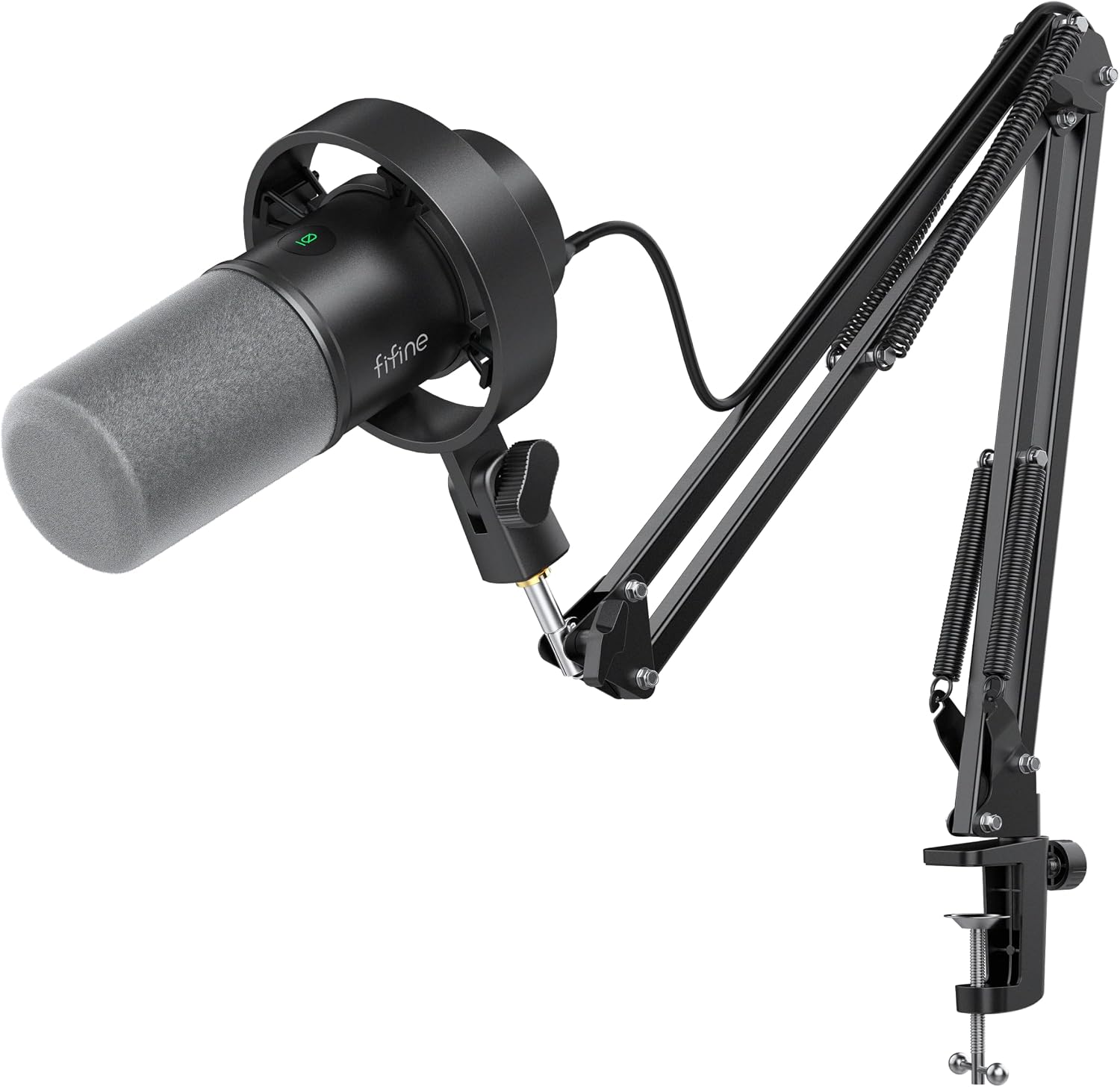
Buy on AmazonFIFINE AmpliTank K688CT Podcast Microphone Kit, USB/XLR Dynamic Vocal Mic
Solo podcasters or streamers who want a single mic that works via USB today and can plug into an XLR interface later as their setup grows.
Dual USB and XLR connectivity on a single dynamic mic gives genuine flexibility to start plug-and-play and later switch to a professional audio interface without buying a new microphone.
Optimal recording requires staying within 2 to 6 inches of the mic, which can be restrictive for creators who move around or prefer a more relaxed setup posture.
Mid-range
- USB and XLR dual connectivity on one mic
- Dynamic capsule handles high SPL up to 120 dB
- Durable metal boom arm included
- Must stay very close to the mic for best results
- Single-mic kit only, no multi-host capability
A smart hybrid mic kit for solo creators who want flexibility now and room to upgrade their chain later.
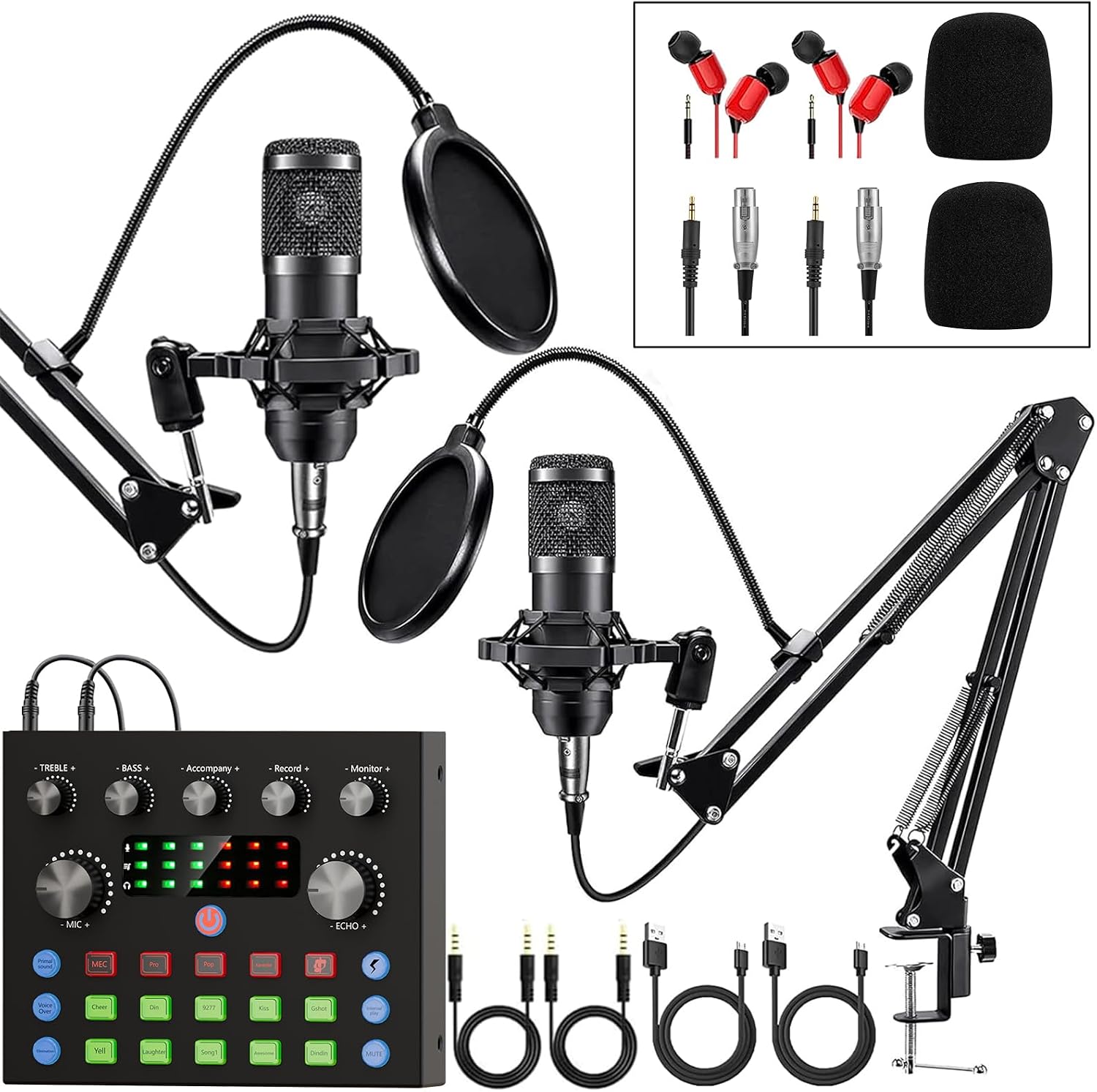
Buy on AmazonPodcast Equipment Bundle for 2, Audio Interface with Voice Changer Condenser Microphones for Gamer, All-in-One Audio Mixer Perfect for Live Streaming, Singing, YouTube, Gaming
Duos or gaming pairs who want a fun, two-person live-streaming setup with built-in effects and voice changers without complicated wiring.
Supports two microphones simultaneously through its all-in-one mixer, and includes 10 sound effects plus four voice variations, making it one of the more feature-rich options for co-hosted or interactive streams.
The omnidirectional-style pickup description combined with consumer DSP processing suggests limited isolation between hosts in a shared space, which can cause bleed between channels.
Budget
- Supports two mics simultaneously
- 10 sound effects and 4 voice variations built in
- Double-layer pop filter on each microphone
- Consumer DSP may introduce audio artifacts under demanding conditions
- Limited upgrade path beyond the included components
A two-person streaming bundle packed with live effects, well suited for gaming duos and casual co-hosts.
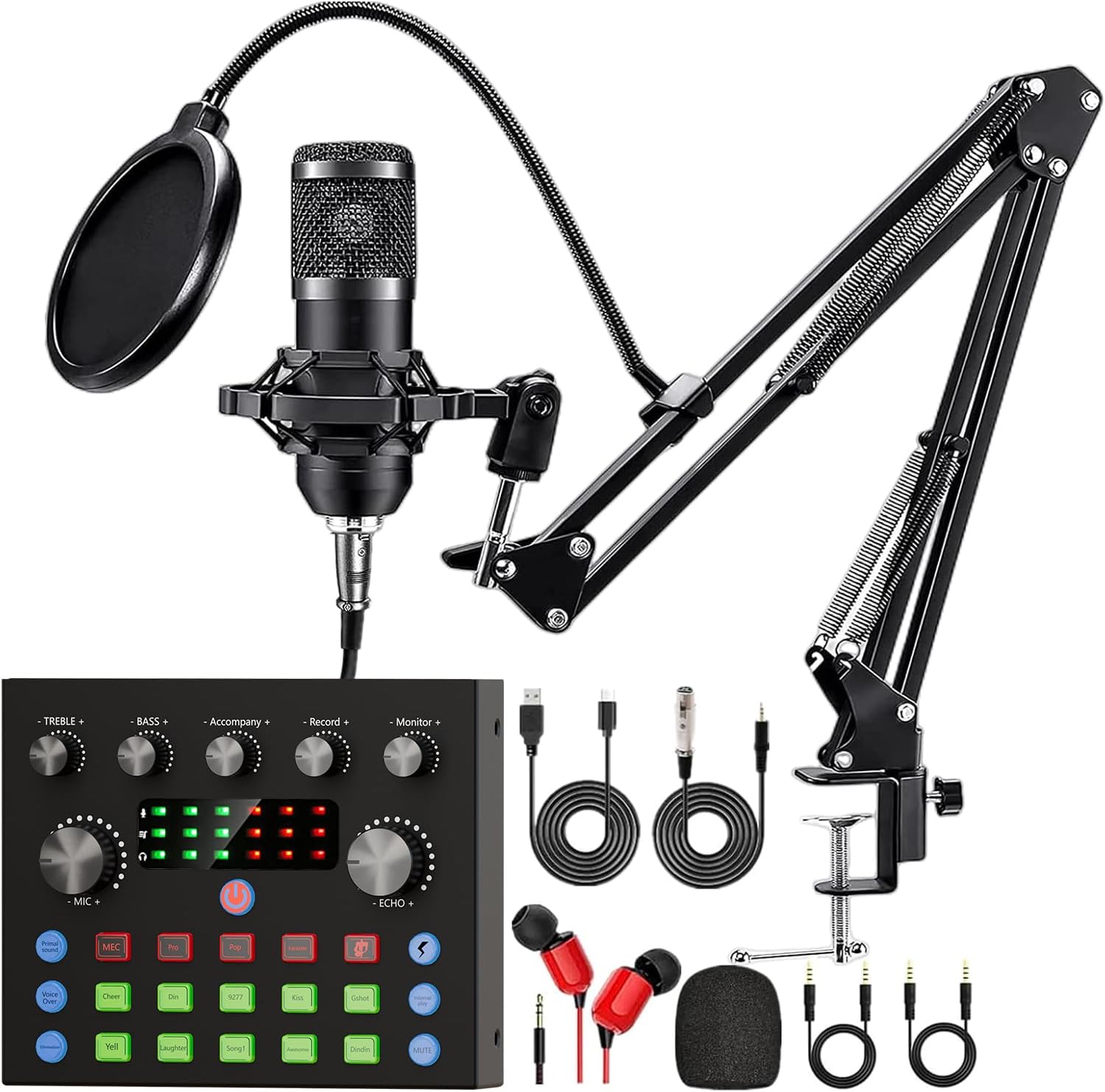
Buy on AmazonPodcast Equipment Bundle, Recording Studio Package with Podcast Microphone and Voice Changer, Live Sound Card - Audio Interface for Laptop Computer Vlog Living Broadcast Live Streaming YouTube TikTok
Solo streamers or vloggers who want omnidirectional capture with smart noise reduction and plug-and-play USB-C simplicity.
USB-C connectivity combined with a Smart Noise Reduction System and dual-layer plosive filtering via outer metal mesh and inner foam means cleaner audio out of the box with no drivers required.
The 360-degree omnidirectional capture can pick up more room noise and unwanted ambient sound, which works against clean isolation in a typical untreated home space.
Budget
- USB-C plug-and-play for instant connectivity
- Dual-layer pop and plosive filtering
- Smart noise reduction DSP chip built in
- Omnidirectional pickup captures more room noise
- Voice changer effects prioritize entertainment over broadcast clarity
An approachable single-person streaming bundle with modern USB-C connections and built-in noise processing for quick setup.
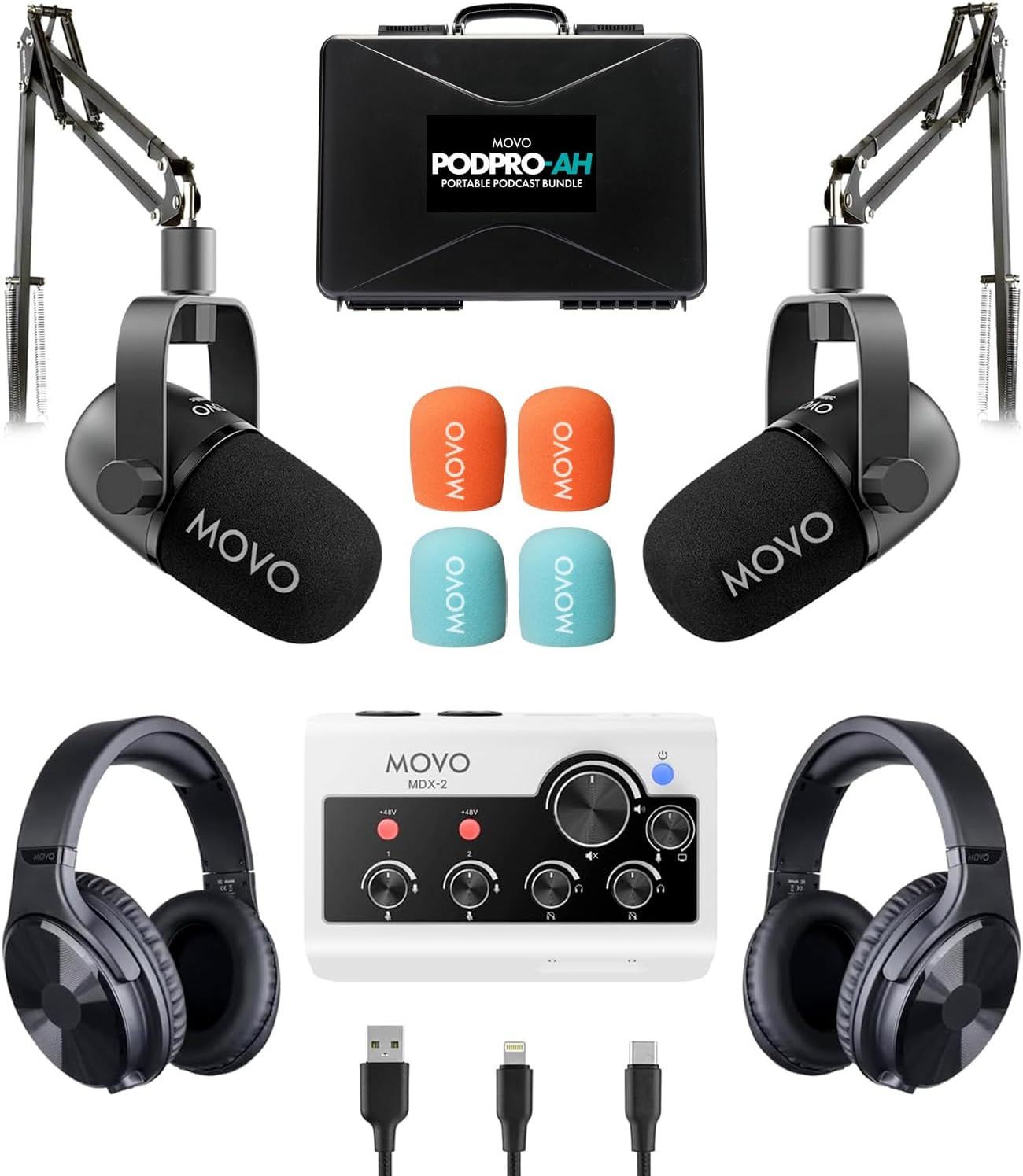
Buy on AmazonMovo PodPro Podcast Equipment Bundle for 2 with Boom Arms and Headphones
Two-person podcast teams who want a portable, battery-powered interface with professional XLR mics and headphones in one ready-to-record box.
The MDX-2 audio interface includes an eight-hour battery life with built-in USB-A, USB-C, and Lightning cables, making it one of the most portable professional two-person setups on this list.
Shares the same price point as the top pick on this list yet offers only two XLR inputs and two headphone outputs, so it cannot scale beyond a two-person session without replacing the interface.
Premium
- Battery-powered interface with 8-hour runtime
- Includes XLR dynamic mics, boom arms, and headphones
- Compatible with PC, Mac, iPhone, iPad, and Android via included cables
- Capped at two channels with no expansion path
- Shares the top price tier but covers fewer inputs than the top pick
A polished, portable two-person podcast kit with genuine XLR quality, though its two-channel ceiling limits future expansion.
Buy on AmazonSetting up a home podcast studio does not have to be overwhelming or expensive. Whether you are just starting out or looking to upgrade a piece of your current setup, the options featured here cover a solid range of budgets and needs. Take your time browsing through the links, and if one item caught your eye, it might be worth a closer look. Even a single good investment (like a decent microphone or a reliable audio interface) can make a noticeable difference in your sound quality. Happy recording, and thanks for reading!
Frequently asked questions
What podcast equipment setup works best for recording two hosts at the same time in a home studio?
For two-host recording you need either a mixer or audio interface with at least two microphone inputs, plus a microphone for each person. The Zoom PodTrak P4next bundle includes four XLR inputs and four independent headphone outputs, so each participant hears their own mix during recording. The Movo PodPro bundle is built specifically for two people, pairing a dual-channel USB interface with two XLR dynamic microphones, two boom arms, and two sets of headphones in one box. Either approach gets you there; the Zoom setup scales further if you plan to add more guests later.
Do I need an XLR microphone and audio interface, or is a USB microphone enough for a home podcast?
A USB microphone is enough for solo podcasters who want a simple, low-cost path because it plugs directly into a computer with no extra hardware. The FIFINE K688CT is a dual-connection dynamic microphone that supports both USB and XLR, so you can start with USB and later connect it to a dedicated interface without buying a new microphone. XLR setups give you more control over gain, monitoring, and processing, which matters more as your production demands grow. If you already own or plan to buy a mixer like the Zoom P4next, go XLR from the start.
How hard is it to set up podcast equipment if you have no audio production experience?
Most of the bundles listed here are designed to be plug-and-play, meaning the interface or sound card is recognized by Windows, Mac, and often mobile operating systems without installing drivers. The FIFINE K688CT and the two-person bundles from Movo and others use USB or USB-C connections that your computer should detect automatically. The Zoom P4next offers more advanced controls including AI noise reduction and per-channel EQ, so the initial learning curve is steeper even though the core recording workflow is straightforward. If you want to get on air quickly with minimal configuration, a simpler USB bundle is the faster starting point.
Will home podcast equipment work with a smartphone or tablet, or only with a laptop?
Several options in this category explicitly support mobile devices alongside computers. The Movo PodPro interface includes USB-A, USB-C, and Lightning cables covering Mac, PC, iPhone, iPad, and Android devices according to the seller listing. The BM-800 based bundle and the MorTime kit also list compatibility with smartphones and tablets through included audio cables. Before purchasing, confirm that the specific cable type your phone or tablet requires is included or readily available, since connection standards vary across Android devices.
How important is a boom arm in a home podcast setup, and what should I look for in one?
A boom arm keeps the microphone at a consistent distance from your mouth without occupying desk space, which helps maintain steady audio levels throughout a recording session. The FIFINE K688CT listing notes that the included metal boom arm reduces vibrations and collisions, which matters because desk bumps translate directly into audio thumps. Many bundles include boom arms as part of the package, but the build quality varies; a metal arm is generally more stable than a plastic one for long-term daily use. If your chosen bundle does not include a boom arm, factor the cost of a separate stand into your total budget.